Create a Mobile App for Your Online Store
Give repeat customers a faster way to shop with branded Android and iOS apps — synced catalogue, push notifications and saved addresses, without building from scratch.

- No coding needed
- UPI, card & COD
- GST invoices
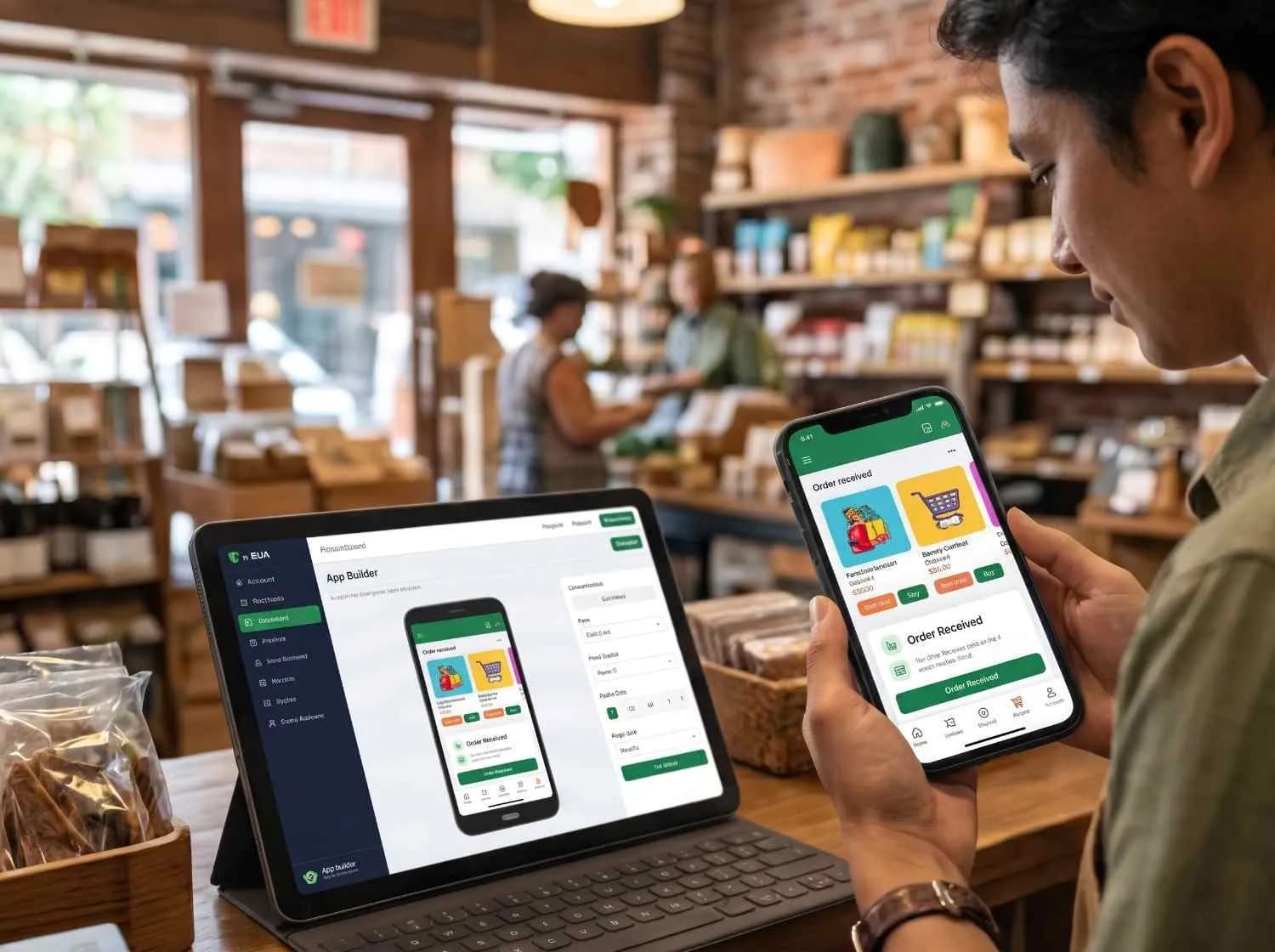
Why Mobile App for Online Store Owners Need an Online Store
A mobile app gives your best customers a faster, more convenient way to shop from their phones. LALA MyStore lets you launch branded Android and iOS apps without hiring a mobile developer or building from scratch.
Apps make the most sense when you have repeat customers who order regularly. If most of your buyers are one-time visitors, focus on your mobile website and checkout first.
Setting up your app is straightforward. Configure your branding, connect your existing catalogue so products and stock stay in sync, and enable push notifications for order updates and offers.
Once your app is live, promote it on your website, in order confirmations and on WhatsApp. Use push notifications strategically — order updates and restock alerts are more welcome than daily promotional blasts.
Whether you are ready for an app today or planning for later, LALA MyStore gives you a path to extend your store beyond the browser when your customer base justifies it.
The problem
Your repeat customers shop on their phones but the mobile website experience is slow or clunky.
The fix
A branded mobile app gives repeat customers a faster, app-native experience with saved addresses and quicker checkout.
The problem
You want to send order updates and offers directly to customers without relying on email.
The fix
Push notifications in your app give you a direct communication channel that bypasses email open rates and social media algorithms .
The problem
Building a mobile app sounds expensive and technical.
The fix
LALA MyStore's mobile app builder lets you create branded Android and iOS apps without hiring a developer or building from scratch [citation:15].
Features for Mobile App for Online Store Owners
Branded Android & iOS apps
Launch your own shopping apps with your store's branding, icon and colours.
Synced catalogue
Products, prices and stock stay in sync with your online store automatically.
Social login
Let customers sign in with their existing accounts for faster checkout.
Push notifications
Send order updates, restock alerts and offers directly to customers' phones.
In-app checkout
Customers complete purchases within the app without switching to a browser.
App engagement tracking
See whether customers are using the app after install and where they drop off.
Manage Mobile App for Online Products and Categories
Configure your app branding (icon, splash screen, colours), connect it to your existing store catalogue so products and stock sync automatically, enable social login and push notifications, and publish to the Google Play Store and Apple App Store. Check your LALA MyStore plan for dedicated mobile app availability [citation:11].
- Bulk upload from Excel
- Categories and sub-categories
- Stock tracking per product
- MRP and offer price
- Product specifications
- HSN code and GST rate
- Units like kg, litre, piece or metre
- Active, draft and archived status
When a mobile app makes sense for your store
- Stores with loyal repeat customers
- Grocery and daily essentials subscriptions
- Beauty and personal care restock buyers
- Health and wellness supplement stores
- Pet food and supplies repeat buyers
- Coffee and tea subscription stores
- Baby and kids product stores
- Household essentials and refills
- Loyalty program members
- High-frequency purchase categories
- Stores with push notification offers
- Brands building direct customer relationships
Reach More Customers Online
A mobile app is a retention tool more than an acquisition tool. Promote it to existing customers through your website, order confirmations and WhatsApp, and use push notifications to bring them back for restocks and offers. For Indian stores, Android brings more installs while iOS converts at a higher rate, so plan for both platforms .
- Add an app download banner to your website and order confirmation emails
- Share your app download link on WhatsApp with your repeat customers
- Use push notifications for restock alerts on products a customer has bought before
Your own store link
Every store gets its own web address to share anywhere.
Store QR code
Customers scan at your counter, on bills or on posters to open your store.
WhatsApp & social media
Share products and offers on WhatsApp, Instagram and Facebook.
Google search & custom domain
Set your store's SEO details and use your own domain name.
How to Create Your Mobile App for Online Store with LALA MyStore
Step 1
Sign up and name your store
Create your free LALA MyStore account and add your mobile app for online store's name, logo, address and contact details.
Step 2
Choose a store template
Pick a design that suits your mobile app for online store and add your banner and cover photos.
Step 3
Add your products
Upload your mobile app for online products from Excel or add them one by one, with prices, stock, photos and categories.
Step 4
Set up payments and delivery
Turn on UPI, card and cash on delivery, add your GST details and decide where you deliver.
Step 5
Share and start selling
Share your store link and QR code on WhatsApp, Instagram and at your counter, and manage orders from your dashboard.
Everything You Need to Know About Selling Online
Create a mobile app for your online store with LALA MyStore and give your repeat customers a faster, more convenient way to shop from their phones. This ecommerce mobile app builder lets you launch branded Android and iOS apps with your store's products, categories and checkout — without building an app from scratch or hiring a mobile developer. Mobile apps consistently outperform mobile websites on conversion rates, average order value and customer lifetime value, and push notifications give you a direct communication channel that bypasses email open rates and social media algorithms . For stores with a loyal, repeat customer base, an app is often the most effective way to increase order frequency and retention [citation:23].
Not every online store needs a mobile app on day one. Apps make the most sense when you have a loyal, repeat customer base — customers who order from you regularly and would benefit from faster checkout, saved addresses and push notifications for new stock or offers [citation:23]. If most of your customers are one-time buyers or discover you through search, a well-optimised mobile website is often the better first investment. The decision comes down to your customer mix: if you have a meaningful cohort of repeat buyers, an app can deepen that relationship. If you are still acquiring first-time customers, focus on your storefront and checkout experience before adding an app layer.
Setting up your store's mobile app with LALA MyStore is designed to be straightforward. Choose the app option available on your plan, configure your app branding (icon, splash screen, colours), and connect it to your existing store catalogue so products, prices and stock stay in sync automatically. Enable push notifications for order updates, new arrivals and offers, and configure social login so customers can sign in with their existing accounts. Once your app is ready, publish it to the Google Play Store and Apple App Store so customers can download it. LALA MyStore supports dedicated mobile app creation on eligible plans, so check your plan details for what is included [citation:11].
Once your app is live, the work shifts to getting customers to install it and keep using it. Promote the app on your website, in order confirmation emails and on WhatsApp with a direct download link. Use push notifications sparingly and strategically — order status updates, restock alerts for products a customer has bought before, and occasional offers are more welcome than daily promotional blasts. Track your app engagement and retention to see whether customers are actually using the app after install. For Indian stores, note that Android dominates shopping installs in terms of volume, while iOS users convert to paying status at a higher rate — so your app strategy should account for both platforms, even if Android brings more installs .
For store owners comparing options, the right approach depends on your stage and customer base. If you are just starting out, focus on getting your website and checkout right before investing in an app. If you have a loyal repeat customer base and want to reduce friction for your best customers, a mobile app can be a meaningful investment. Managed app builders like the one included in LALA MyStore's higher plans let you launch branded apps without custom development, while third-party Shopify app builders typically take one to four weeks and custom development can take three to twelve months . Start with the tools that match your stage, measure whether the app actually improves retention and order frequency, and expand from there.
Frequently Asked Questions
Does every online store need a mobile app?
No. Apps make the most sense when you have a loyal, repeat customer base that would benefit from faster checkout and push notifications. If most of your customers are one-time buyers, focus on your mobile website first [citation:23].
Can I create a mobile app for my store with LALA MyStore?
LALA MyStore supports dedicated mobile app creation on eligible plans (Business & Above). Check your plan details for what is included, or contact support for more information [citation:11].
Do I need to hire a developer to build the app?
No. The mobile app builder lets you create branded Android and iOS apps without building from scratch or hiring a mobile developer [citation:15].
Will my app stay in sync with my online store?
Yes. Products, prices and stock sync automatically with your existing store catalogue, so you do not need to manage two separate catalogues.
What are push notifications and why do they matter?
Push notifications let you send messages directly to customers' phones — order updates, restock alerts and offers. Unlike email, they are not filtered by spam folders or social media algorithms .
How do customers download my app?
Once published, your app is available on the Google Play Store and Apple App Store. You can share the download link on your website, in order confirmations and on WhatsApp.
Should I focus on Android or iOS first?
Android brings more shopping installs in India by volume, while iOS users convert to paying status at a higher rate. Plan for both platforms if your customer base includes both .
How long does it take to launch a mobile app?
Managed app builders can launch in weeks rather than months. Third-party Shopify app builders typically take one to four weeks, while custom development can take three to twelve months .
How do I get customers to install and use the app?
Promote the app on your website, in order confirmation emails and on WhatsApp. Use push notifications strategically — order updates and restock alerts are more welcome than daily promotional messages.
What if my customers don't use the app after downloading it?
Track app engagement and retention to see whether customers are actually using the app. If they are not, focus on your mobile website and checkout experience instead, or adjust your push notification strategy to bring them back.
Solutions for other businesses
Online store for online store for businesss
Create an online store for your business with LALA MyStore. List products or services, accept UPI and COD payments, manage orders and start selling online without upfront costs.
Online store for free store management softwares
Manage your online store for free with LALA MyStore. Upload products, track stock, process orders, generate GST invoices and review sales from one dashboard.
Online store for best ecommerce platforms
Find the best ecommerce platform in India for your business. Compare marketplaces, Shopify, WooCommerce and free builders like LALA MyStore based on stage, budget and needs.
Ready to take your mobile app for online store online?
Build your branded online store, accept payments and send GST invoices — all from one dashboard.