Create Your Own Event Ticketing Website with LALA MyStore
Sell tickets for your events directly, with QR-code delivery, promo codes and GST invoicing. Keep your customer relationships without losing a large share to listing platforms.

- No coding needed
- UPI, card & COD
- GST invoices
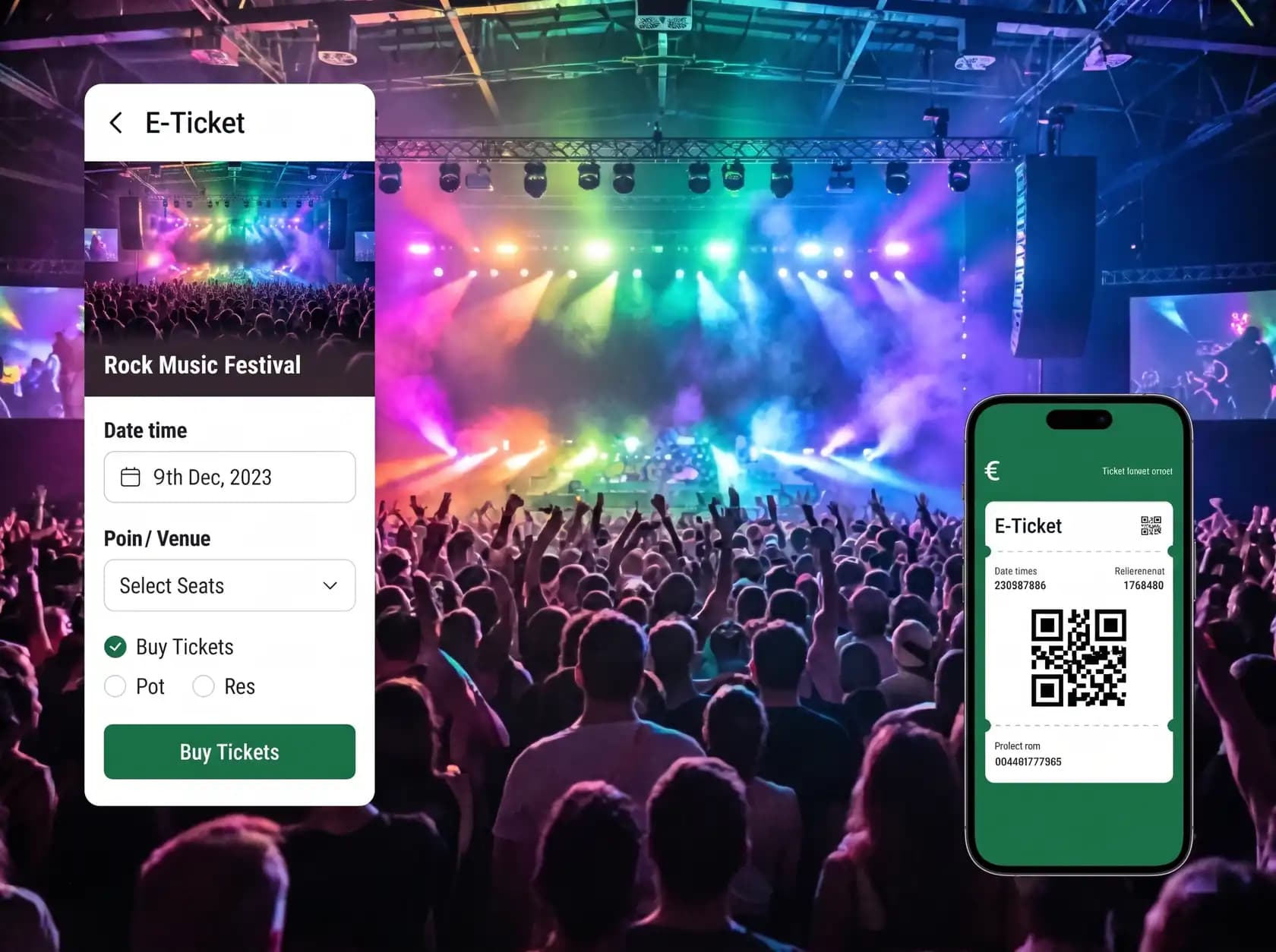
Why Event Ticketing Website Owners Need an Online Store
Selling tickets online in India does not require a special licence, but it does require the right setup: a business entity, a payment gateway, GST handling where applicable, and a way to deliver and verify tickets. LALA MyStore gives you a ticketing page where you can sell directly to your audience without paying a large share to a listing platform.
Your ticketing page shows the event details, ticket types and prices, and lets buyers pay and receive their QR-code ticket instantly. You manage sales, check-ins and customer data from one dashboard.
Setting up is straightforward. Create your event, add ticket types with quantities and prices, configure UPI and card payments, and set up QR-code delivery by email or WhatsApp. Publish your refund policy clearly and ensure your GST treatment reflects your event category.
Once your page is live, share it on WhatsApp and Instagram, and use QR-code scanning at the gate to manage entry and prevent ticket reuse. Track sales reports to see which ticket types and promo codes work.
Whether you run occasional workshops, college fests, music gigs or conferences, LALA MyStore gives you a free way to start selling tickets under your own brand, with your own prices and your own customer relationships.
The problem
Listing platforms take a large share of ticket revenue and own the customer relationship.
The fix
Sell tickets directly on your own page and keep the full ticket price minus payment gateway fees, with customer data you can use for future events.
The problem
Managing ticket types, promo codes and check-ins manually is error-prone.
The fix
Multiple ticket types, promo codes with usage limits, and QR-code scanning for entry are built into the ticketing flow.
The problem
GST rules for events are confusing and vary by ticket price and event type.
The fix
Configure GST treatment based on your event category — exempt up to ₹500 for cultural events, 18% above, and 18% for conferences and workshops.
Features for Event Ticketing Website Owners
Event ticketing page
Create a page for your event with details, ticket types and prices, under your own brand.
Multiple ticket types
Offer early bird, standard, VIP and other ticket tiers with quantity limits per order.
Learn more about multiple ticket typesQR-code tickets
Deliver QR-code tickets by email or WhatsApp for scanning at the gate.
Learn more about qr-code ticketsUPI & card payments
Accept UPI, cards and net banking through a payment gateway like Razorpay.
Learn more about upi & card paymentsGST invoicing
Generate GST invoices with the correct treatment for your event category.
Learn more about gst invoicingSales reports
See which ticket types and promo codes drive sales, and track attendance after the event.
Learn more about sales reportsManage Event Ticketing Website Products and Categories
Create your event with name, date, venue and description, add ticket types with prices and quantities, configure UPI and card payments, and set up QR-code delivery by email or WhatsApp. Publish your refund policy clearly, configure GST treatment based on your event category, and use promo codes for early-bird or partner pricing. Manage sales, check-ins and customer data from one dashboard.
- Bulk upload from Excel
- Categories and sub-categories
- Stock tracking per product
- MRP and offer price
- Product specifications
- HSN code and GST rate
- Units like kg, litre, piece or metre
- Active, draft and archived status
Events you can sell tickets for
- Workshops and training sessions
- College fests and cultural events
- Music gigs and concerts
- Conferences and seminars
- Comedy shows and performances
- Sports events and tournaments
- Community and networking events
- Charity fundraisers
- Art exhibitions and gallery shows
- Theatre and dance performances
- Food festivals and pop-ups
- Online and hybrid events
Reach More Customers Online
Direct ticketing lets you promote to your own audience and keep the customer relationship for future events. Share your event link on WhatsApp and Instagram, use early-bird pricing to drive urgency, and follow up with attendees about upcoming events using your customer records.
- Share your event link on WhatsApp and Instagram with early-bird pricing
- Use promo codes for partner promotions and community groups
- Collect attendee contact details to market future events directly
Your own store link
Every store gets its own web address to share anywhere.
Store QR code
Customers scan at your counter, on bills or on posters to open your store.
WhatsApp & social media
Share products and offers on WhatsApp, Instagram and Facebook.
Google search & custom domain
Set your store's SEO details and use your own domain name.
How to Create Your Event Ticketing Website with LALA MyStore
Step 1
Sign up and name your store
Create your free LALA MyStore account and add your event ticketing website's name, logo, address and contact details.
Step 2
Choose a store template
Pick a design that suits your event ticketing website and add your banner and cover photos.
Step 3
Add your products
Upload your event ticketing website products from Excel or add them one by one, with prices, stock, photos and categories.
Step 4
Set up payments and delivery
Turn on UPI, card and cash on delivery, add your GST details and decide where you deliver.
Step 5
Share and start selling
Share your store link and QR code on WhatsApp, Instagram and at your counter, and manage orders from your dashboard.
Everything You Need to Know About Selling Online
Create an online event ticketing website with LALA MyStore and sell tickets for your events directly, without losing a large share of revenue to listing platforms. This event ticketing website builder is designed for event organisers, workshop hosts, college fest committees and venue owners who want to sell tickets online under their own brand. Selling tickets online in India needs no special licence — the paperwork sits at the business and venue level, not the ticket level [citation:5]. What you do need is a registered business entity, a current account, GST registration once turnover crosses the applicable threshold, and venue-level NOCs for police clearance and fire safety [citation:5]. LALA MyStore is free to start, so you can test online ticketing for your next event without a large upfront bill.
Event ticketing has specific requirements that a general online store does not cover. You need multiple ticket types (early bird, standard, VIP), quantity limits per order, and promo codes with expiry dates and usage caps [citation:15]. You need QR-code tickets that can be scanned at the gate for check-in, and a way to track which tickets have been used [citation:14][citation:15]. You need clear refund and cancellation policies displayed before purchase, because the Consumer Protection Act requires that you refund buyers within the timeline you promise [citation:5]. And you need GST handling that reflects the rules: cultural and entertainment events are exempt up to ₹500 per ticket, 18% above that, while business conferences and workshops attract 18% regardless of price [citation:5]. A ticketing platform that gets these basics right saves you from manual work and compliance headaches on event day.
Setting up your event ticketing store is straightforward. Create your event page with the event name, date, venue, description and ticket types, and upload your ticket inventory with prices and quantities. Configure your payment options — UPI, cards and net banking through a gateway like Razorpay — and set up QR-code delivery so buyers receive their tickets by email or WhatsApp immediately after payment [citation:14]. If you are running multiple events or sessions, create separate ticket types or events for each, and use promo codes to offer early-bird discounts or partner pricing [citation:15]. Publish your refund policy clearly on the event page, and ensure your GST invoicing reflects the correct treatment for your event category [citation:5]. LALA MyStore is free to start, so you can launch your first event and learn from real buyer behaviour before committing to a paid plan.
Once your ticketing page is live, the work shifts to selling tickets and managing entry. Share your event link on WhatsApp, Instagram and social media, and use your existing customer list to promote early-bird pricing. For entry management, use the QR-code scanning built into your ticketing flow — attendees show their ticket at the gate, your team scans it, and the system marks it as used so the same ticket cannot be reused [citation:14]. Track your sales reports to see which ticket types sell best and which promo codes drive conversions. After the event, use customer records to follow up with attendees about future events, and review the data to understand what worked. For organisers running repeat events, a ticketing website that you control means you keep the customer relationship and can market directly to past attendees instead of relying on a platform.
For event organisers comparing options, the right ticketing website depends on your event volume and how much control you want. If you run occasional events and want to avoid platform fees, a free builder like LALA MyStore lets you start without upfront risk. If you run multiple events and need advanced features like seat maps or check-in apps, a dedicated ticketing platform may fit better. The key is to launch, learn and iterate — your first ticketing page does not need to be perfect, but it does need to be live so you can sell tickets and learn from real buyers. Whether you are hosting a workshop, a college fest, a music gig or a conference, LALA MyStore gives you the foundation to sell tickets online under your own name, with your own prices and your own customer relationships.
Frequently Asked Questions
Do I need a special licence to sell event tickets online in India?
No special licence is required for online ticketing itself. You need a registered business entity, PAN, a current account, GST registration if turnover crosses the threshold, and venue-level NOCs for police clearance and fire safety where applicable [citation:5].
What GST rules apply to event tickets?
Cultural, music and entertainment events are exempt up to ₹500 per ticket and 18% above that. Business conferences and workshops attract 18% regardless of price. Sporting events (recognised) are exempt up to ₹500. Verify the latest notifications before pricing [citation:5].
How do I deliver tickets to buyers?
After payment, QR-code tickets can be delivered by email or WhatsApp instantly. Attendees show the QR code at the gate for scanning and check-in [citation:14].
Can I prevent ticket resale or scalping?
QR-code tickets that are scanned and marked as used at entry prevent the same ticket from being reused. Dynamic QR codes that rotate are even harder to screenshot and resell, though this may require more advanced ticketing tools.
What should my refund policy include?
Publish a clear refund and cancellation policy before purchase. The Consumer Protection Act requires you to refund buyers within the timeline you promise — 10 working days is a common benchmark [citation:5].
Can I offer different ticket types and promo codes?
Yes. You can create multiple ticket types (early bird, standard, VIP) with different prices and quantity limits, and use promo codes with expiry dates and usage caps for discounts [citation:15].
Is LALA MyStore free to start for event ticketing?
You can set up your event page and start selling tickets without paying for development upfront. Check the pricing page for details about what is included in the free offering and what paid features are available as you grow.
What payment methods can attendees use?
Attendees can pay by UPI, cards and net banking through the payment gateway enabled for your store, such as Razorpay [citation:14].
How do I manage entry at the event?
Use QR-code scanning at the gate. When an attendee shows their ticket, your team scans it and the system marks it as used, preventing reuse. Track check-ins from your dashboard [citation:14].
Can I use my ticketing page for multiple events?
Yes. You can create separate events or ticket types for each event, and reuse your store for future events. Your customer records carry over so you can market directly to past attendees.
Solutions for other businesses
Online store for online store for businesss
Create an online store for your business with LALA MyStore. List products or services, accept UPI and COD payments, manage orders and start selling online without upfront costs.
Online store for free store management softwares
Manage your online store for free with LALA MyStore. Upload products, track stock, process orders, generate GST invoices and review sales from one dashboard.
Ready to take your event ticketing website online?
Build your branded online store, accept payments and send GST invoices — all from one dashboard.