Create Your Online Agricultural Equipment Store with LALA MyStore
List tractors, tillers, sprayers, pumps, harvesters, implements and agri inputs with specs, brands and prices. Farmers enquire or book a demo from their phones, and you manage everything from one dashboard.

- No coding needed
- UPI, card & COD
- GST invoices
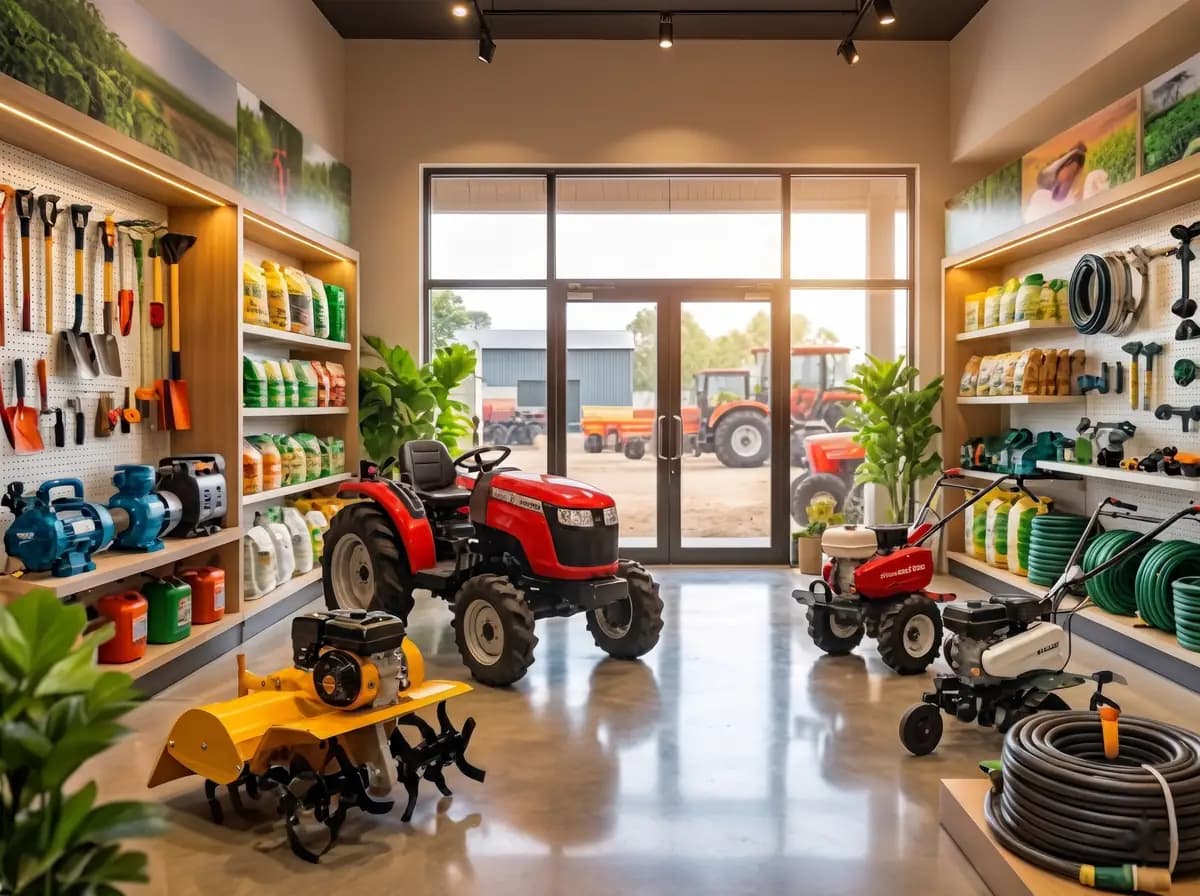
Why Agricultural Equipment Store Owners Need an Online Store
Agricultural equipment is a high-consideration purchase built on trust, technical guidance and after-sales support. LALA MyStore gives your agri equipment dealership, farm machinery shop or agri-inputs business its own online store, so farmers and contractors can see your products, check specs and prices, and send an enquiry or book a demo without visiting the showroom first.
List each product — tractors, tillers, seeders, sprayers, pumps, harvesters, implements, spare parts and agri inputs — with clear descriptions, brand, model number, horsepower or capacity, technical specifications, warranty details, unit of measure and price. Organise products into categories such as tractors, implements, irrigation equipment, harvesters, sprayers, spare parts and agri inputs so farmers find what they need quickly.
Showcase products with photos and spec sheets, and add technical details so farmers can match equipment to their land and crop. Keep stock, pricing and availability up to date so enquiries only cover what you can actually supply.
Let farmers send an enquiry, request a quote or book a demo, capture their land size, crop and requirement, and send enquiry confirmations, demo reminders and follow-up updates so no lead is missed. Keep farmer records and enquiry history so repeat buyers get consistent service.
Reach more farmers, contractors and agri businesses by sharing your store link through WhatsApp, social media and farmer groups. Buyers can browse your products and enquire from their phones, while you manage products, enquiries and billing from one dashboard.
The problem
Farmers call repeatedly to check models, specs and prices.
The fix
A searchable online catalogue with brands, specs and prices lets farmers check and enquire on their own.
The problem
Enquiries and demo requests come through calls and WhatsApp and get missed.
The fix
A single online enquiry and demo-booking page means every lead lands in one place, clearly tracked and followed up.
The problem
Business buyers need proper GST invoices and service records.
The fix
Generate GST invoices with product tax details for every sale, and keep enquiry and purchase history for consistent service.
Features for Agricultural Equipment Store Owners
Equipment categories
Organise by tractors, implements, irrigation, harvesters, sprayers, spare parts and agri inputs.
Bulk product upload
Upload brand catalogues and price lists from Excel and update rates in bulk.
Learn more about bulk product uploadEnquiry & demo booking
Farmers send an enquiry or book a demo from their phones, with confirmations and reminders.
Stock & availability
Keep stock counts and availability per product so buyers only enquire about what you can supply.
GST invoicing
Automatic GST invoices for equipment, spare parts and service with LALA Invoice.
Learn more about gst invoicingFarmer & enquiry records
Keep land size, crops, past purchases and service needs for consistent repeat service.
Learn more about farmer & enquiry recordsManage Agricultural Equipment Products and Categories
Agricultural equipment is a product-plus-enquiry business, so your online catalogue is a structured list of products with technical detail. Add each product with a clear description, brand, model number, horsepower or capacity, specifications, warranty details, unit of measure and price, and group them into tractors, implements, irrigation, harvesters, sprayers, spare parts and agri inputs. Keep stock, pricing and availability current so buyers only enquire about what you can supply, and record farmer details and enquiry history so repeat buyers get consistent service.
- Bulk upload from Excel
- Categories and sub-categories
- Stock tracking per product
- MRP and offer price
- Product specifications
- HSN code and GST rate
- Units like kg, litre, piece or metre
- Active, draft and archived status
Agricultural equipment you can list online
- Tractors
- Power tillers & rotavators
- Seeders & planters
- Sprayers & dusters
- Irrigation pumps & pipes
- Harvesters & threshers
- Chaff cutters & fodder machines
- Ploughs & cultivators
- Farm implements & attachments
- Tractor spare parts
- Seeds & fertilisers
- Pesticides & crop care
- Dairy & poultry equipment
- Greenhouse & polyhouse supplies
- Farm tools & accessories
Reach More Customers Online
Farmers and contractors search for equipment dealers on their phones and ask in local farmer WhatsApp groups. An online agricultural equipment store lets every catalogue, card and referral lead straight to products they can enquire about.
- Share your store link in farmer, FPO and village WhatsApp groups
- Print your enquiry QR code on catalogues, visiting cards and delivery challans
- Fill in your SEO settings so farmers searching for an equipment dealer near them find you on Google
Your own store link
Every store gets its own web address to share anywhere.
Store QR code
Customers scan at your counter, on bills or on posters to open your store.
WhatsApp & social media
Share products and offers on WhatsApp, Instagram and Facebook.
Google search & custom domain
Set your store's SEO details and use your own domain name.
How to Create Your Agricultural Equipment Store with LALA MyStore
Step 1
Sign up and name your store
Create your free LALA MyStore account and add your agricultural equipment store's name, logo, address and contact details.
Step 2
Choose a store template
Pick a design that suits your agricultural equipment store and add your banner and cover photos.
Step 3
Add your products
Upload your agricultural equipment products from Excel or add them one by one, with prices, stock, photos and categories.
Step 4
Set up payments and delivery
Turn on UPI, card and cash on delivery, add your GST details and decide where you deliver.
Step 5
Share and start selling
Share your store link and QR code on WhatsApp, Instagram and at your counter, and manage orders from your dashboard.
Everything You Need to Know About Selling Online
Create an online agricultural equipment store with LALA MyStore and give your agri equipment dealership, farm machinery shop or agri-inputs business a professional online presence. Farmers, farm contractors and agri businesses can browse your agricultural equipment — tractors, tillers, seeders, sprayers, pumps, harvesters, implements, spare parts and agri inputs — check specifications and prices, and send an enquiry or book a demo from their phones, while you manage products, enquiries and quotations from one simple dashboard. No developer, no coding and no separate dealership software required.
An online agricultural equipment store helps you reach farmers and farm contractors beyond your local walk-ins. List each product with clear descriptions, brand, model number, horsepower or capacity, technical specifications, warranty details, unit of measure and price, and organise them into categories such as tractors, implements, irrigation equipment, harvesters, sprayers, spare parts and agri inputs. Add product photos, spec sheets and usage details so farmers can match equipment to their land and crop, and keep stock, pricing and availability up to date so enquiries only cover what you can actually supply.
A well-built agri equipment website works hand in hand with enquiries, demos and financing. Let farmers send an enquiry, request a quote or book a demo, capture their land size, crop and requirement, and send enquiry confirmations, demo reminders and follow-up updates so no lead is missed. Keep farmer records and enquiry history — land size, crops, past purchases and service needs — so repeat buyers get consistent service, and generate GST invoices for equipment, spare parts and service using LALA Invoice.
Promote your new online agricultural equipment store to the farmers, contractors and agri businesses who already trust your dealership. Print your enquiry QR code on visiting cards, catalogues and delivery challans, share your store link through WhatsApp, social media and farmer groups, and run seasonal offers, finance schemes and exchange offers to increase enquiries. Connect your own domain so farmers remember your dealership's web address, and fill in your store SEO settings so people searching for a tractor dealer, farm equipment shop or agri machinery store near them can find you on Google. Use enquiry analytics to see which brands, categories and seasons perform best and repeat what works.
As your online agricultural equipment store grows, the platform lets you add new models and brands, update prices and stock, and archive discontinued items without rebuilding your site. You can highlight new arrivals, seasonal equipment and finance-backed offers, promote fast-moving spare parts to your regular farmers, and use customer and enquiry records to understand which crops and regions drive demand. This gives an agri equipment dealership, farm machinery shop or agri-inputs business the tools to compete with large agri marketplaces while keeping the technical guidance, trust and local service that farmers value — turning first-time enquiries into loyal, repeat customers.
Frequently Asked Questions
How do I create an online agricultural equipment store with LALA MyStore?
Sign up, add your dealership details, list your agricultural equipment with descriptions, specifications and prices, set your enquiry and demo options, and share your store link. Farmers can start enquiring the same day.
Can farmers send enquiries or book demos online?
Yes. Farmers can browse your products and send an enquiry or book a demo from their phones, with confirmations and reminders to keep them informed.
Can I list products with technical specifications?
Yes. You can include brand, model number, horsepower or capacity, technical specifications, warranty details and unit of measure to help farmers match equipment to their requirement.
Can I manage stock and availability?
Yes. You can keep stock and availability up to date so enquiries only cover equipment and parts you can actually supply.
Can I keep farmer records and enquiry history?
Yes. You can keep records of farmers and their enquiries — land size, crops, past purchases and service needs — so repeat buyers get consistent service.
How do farmers pay for equipment?
Farmers can pay by UPI, bank transfer, cards or finance schemes depending on your arrangement. Online payments are shown against each order.
Can I generate GST invoices for equipment sales?
Yes. GST invoices can be generated for equipment, spare parts and service through LALA Invoice, with the applicable tax details.
Can I run seasonal offers and finance schemes?
Yes. You can create seasonal offers, finance schemes and exchange offers to encourage enquiries and reward loyal buyers.
Can I use my own domain for my equipment store?
Yes. You can connect a custom domain so farmers can browse your store using your own web address.
How do I promote my agricultural equipment store online?
Share your store link through WhatsApp, social media and farmer groups, print your QR code on catalogues and challans, and fill in your SEO settings so farmers searching for an equipment dealer near them can find you on Google.
Solutions for other businesses
Online store for hardware stores
Create your own online hardware store with LALA MyStore. List tools, plumbing and building supplies, take contractor orders and generate GST bills.
Online store for electrical stores
Create your own online electrical store with LALA MyStore. List wires, switches, lights and fans, take orders from electricians and send GST invoices.
Online store for Industrial Supplies
Create your online industrial supplies store with LALA MyStore. List tools, safety gear and MRO products, take bulk orders and quotes, send GST invoices and grow B2B sales.
Ready to take your agricultural equipment store online?
Build your branded online store, accept payments and send GST invoices — all from one dashboard.