Create Your Own Kirana Market Catalogue Online with LALA MyStore
Publish your kirana shop's full range online — rice, dal, oil, spices, snacks and daily essentials — with prices and stock. Upload from Excel and let customers order from their phones.

- No coding needed
- UPI, card & COD
- GST invoices
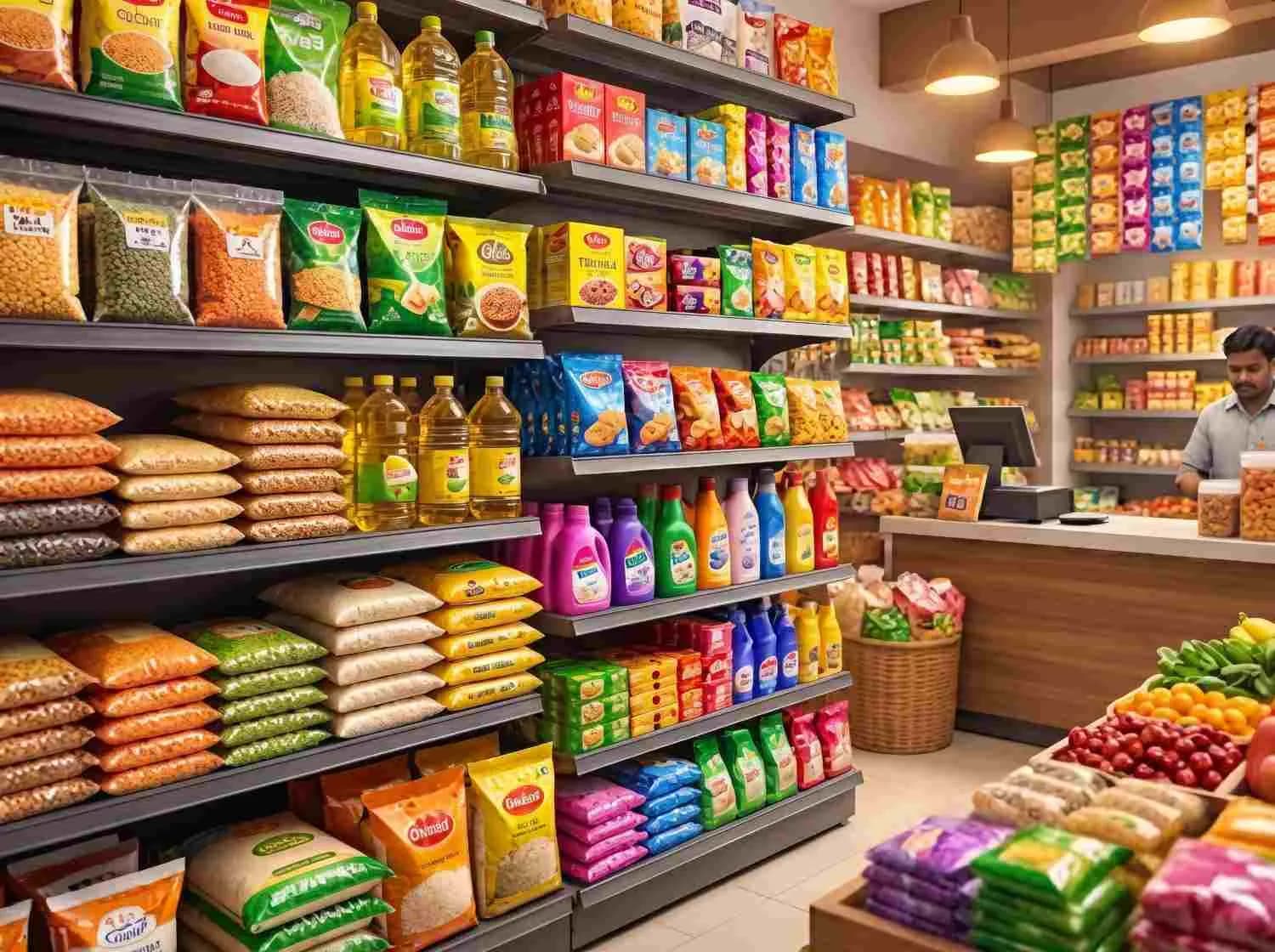
Why Kirana Market Catalogue Owners Need an Online Store
Creating an online catalogue is the fastest way to give your kirana shop a professional digital presence. LALA MyStore lets you list your everyday essentials, upload products in bulk and share a single catalogue link with customers — no developer or technical knowledge needed.
Your catalogue shows customers what you stock, at what price and whether it is available. They can build a basket from their phone and send the order, while you receive a clear list in your dashboard and pack it quickly.
Once your catalogue is live, keep it updated with new products, current prices and stock status. An accurate kirana catalogue helps regular customers trust your online store and reorder their weekly essentials again and again.
Share your catalogue link on WhatsApp, community groups and your shop QR code to bring walk-in customers online. Your catalogue stays available 24 hours a day, even when your shop is closed.
Whether you run a small kirana shop or a larger neighbourhood grocery store, LALA MyStore gives you the tools to publish your catalogue online with your own shop name, your own prices and your own delivery rules.
The problem
Regular customers call during rush hour to check prices and stock.
The fix
A searchable online catalogue shows products, prices and availability so customers can check and order on their own.
The problem
Phone and WhatsApp orders get lost or written down wrong.
The fix
Customers pick items and quantities themselves, and every order lands in your dashboard as a clear list.
The problem
Large brands and quick-commerce apps are pulling your regulars away.
The fix
Offer the same order-from-home convenience under your own shop name, with the trust of a shop they already know.
Features for Kirana Market Catalogue Owners
Bulk product upload
Upload your full list of staples, packaged foods and household items from Excel instead of typing them one by one.
Learn more about bulk product uploadFamiliar kirana categories
Organise products into staples, pulses, spices, dairy, snacks and home care so customers find things fast.
QR code at the counter
Customers scan your shop QR to browse the catalogue and reorder next time.
Learn more about qr code at the counterUPI and cash on delivery
Accept UPI, cards or cash on delivery — whatever your customers prefer.
Learn more about upi and cash on deliveryLocal delivery and pickup
Deliver within your area or let customers collect their packed order from the shop.
Learn more about local delivery and pickupWeekly offers
Run discounts on fast-moving items and festival combos to increase basket size.
Learn more about weekly offersManage Kirana Market Catalogue Products and Categories
Set up your catalogue by adding your shop name, logo and contact details, then upload your product list from Excel. Set the unit for each item (kg, gram, litre, packet), group products into familiar kirana categories like staples, pulses, spices, dairy, snacks and home care, and update prices or stock whenever they change. Show MRP next to your selling price so customers see what they save.
- Bulk upload from Excel
- Categories and sub-categories
- Stock tracking per product
- MRP and offer price
- Product specifications
- HSN code and GST rate
- Units like kg, litre, piece or metre
- Active, draft and archived status
What kirana shops list in their online catalogue
- Rice, atta & dals
- Cooking oil & ghee
- Spices & masalas
- Pulses & lentils
- Sugar, salt & jaggery
- Tea, coffee & beverages
- Snacks & biscuits
- Dairy & bakery
- Packaged & instant foods
- Pickles & sauces
- Pooja essentials
- Cleaning & household
- Personal care & toiletries
- Dry fruits & nuts
- Matchboxes & candles
- Kitchen essentials
- Water & soft drinks
Reach More Customers Online
Most kirana customers live within a few streets of your shop. Your online catalogue keeps you their first choice and introduces your shop to families in nearby apartments and lanes who don't know you yet.
- Share your catalogue link in apartment and community WhatsApp groups
- Print your store QR code on bills, carry bags and the counter
- Fill in your store's SEO settings so people searching for a kirana store near them can find you on Google
Your own store link
Every store gets its own web address to share anywhere.
Store QR code
Customers scan at your counter, on bills or on posters to open your store.
WhatsApp & social media
Share products and offers on WhatsApp, Instagram and Facebook.
Google search & custom domain
Set your store's SEO details and use your own domain name.
How to Create Your Kirana Market Catalogue with LALA MyStore
Step 1
Sign up and name your store
Create your free LALA MyStore account and add your kirana market catalogue's name, logo, address and contact details.
Step 2
Choose a store template
Pick a design that suits your kirana market catalogue and add your banner and cover photos.
Step 3
Add your products
Upload your kirana market catalogue products from Excel or add them one by one, with prices, stock, photos and categories.
Step 4
Set up payments and delivery
Turn on UPI, card and cash on delivery, add your GST details and decide where you deliver.
Step 5
Share and start selling
Share your store link and QR code on WhatsApp, Instagram and at your counter, and manage orders from your dashboard.
Everything You Need to Know About Selling Online
Create a kirana market catalogue online with LALA MyStore and give your neighbourhood kirana shop a professional product catalogue that customers can browse from their phones. From rice, atta, dal and oil to spices, snacks, dairy, pooja essentials and household items, this online kirana catalogue builder lets you publish your full range with prices and stock status — no coding or technical staff required.
A well-organised kirana market catalogue helps regular customers see what is in stock, check current prices and build their basket without calling you during rush hour. Group products into familiar kirana categories such as staples, pulses, spices, packaged foods, dairy and home care, so customers find everyday essentials quickly and reorder the same items week after week.
Setting up your catalogue is simple and fast. Add your shop name, logo and contact details, then upload your product list from an Excel spreadsheet — ideal for shops with hundreds of small SKUs. Set the unit for each item (kg, gram, litre, packet), add MRP alongside your selling price, and update prices and stock whenever they change so your online kirana catalogue always matches your shelf.
Once your catalogue is live, share the link on WhatsApp and community groups, and print a QR code on bills and carry bags so regular customers can reorder next time without waiting in the queue. Customers can place orders for home delivery or counter pickup within your area, and every order arrives in your dashboard with the full item list, address and payment status so packing is quick and nothing gets missed.
For kirana shops looking to compete with large e-commerce and quick-commerce platforms, your own online kirana market catalogue offers the same order-from-home convenience under your own shop name, with no marketplace commission and the local trust you have already earned. Use weekly offers, festival combos and monthly essential bundles to increase basket size, review sales reports to see what sells best, and keep your catalogue updated so customers always see accurate products and prices.
Frequently Asked Questions
How do I create a kirana market catalogue online with LALA MyStore?
Add your shop details and logo, upload your product list from a spreadsheet, organise products into familiar kirana categories and share your catalogue link. No coding is required.
Can I create an online kirana catalogue without a big inventory system?
Yes. You only need your product names, prices and photos. You can upload them from a spreadsheet and update stock when items run out — no separate inventory software is required.
Can customers order on WhatsApp from my kirana catalogue?
You can share your catalogue link on WhatsApp and community groups. Customers open the link, add items to the cart and place the order, which comes to your dashboard.
Do I have to deliver every order?
No. You decide whether you offer home delivery, store pickup or both, and you can limit delivery to your nearby area.
How do I get paid for online kirana orders?
Customers can pay by UPI, cards or cash on delivery. Online payments are shown against each order so you know what is paid before you pack it.
Can I give GST bills for kirana orders?
Yes. GST invoices can be generated for orders through LALA Invoice, with the tax details of each product.
Can I update kirana product prices and stock?
Yes. You can update product prices, stock quantities, descriptions and offers whenever needed to keep your online kirana catalogue accurate.
Can customers order daily essentials through their mobile phones?
Yes. Customers can browse your online kirana catalogue, view product details and place orders conveniently using their mobile phones.
Can I organise kirana products into familiar categories?
Yes. You can organise products into categories such as staples, pulses, spices, dairy, snacks, beverages and household essentials.
Can I share my kirana catalogue link on WhatsApp?
Yes. You can share your online catalogue link through WhatsApp and social media so customers can browse your products and place orders.
Solutions for other businesses
Online store for grocery stores
Create your own online grocery store with LALA MyStore. Showcase grocery products, manage your store, reach more customers and grow your business online.
Online store for grocery store websites
Create a grocery store website with LALA MyStore. List your products, take orders for home delivery or pickup, accept UPI and manage your grocery business online.
Online store for supermarkets
Create your own online supermarket with LALA MyStore. List products across every department, take home delivery orders and grow your sales online.
Ready to take your kirana market catalogue online?
Build your branded online store, accept payments and send GST invoices — all from one dashboard.